Dashboard · Premium
DashMetrics
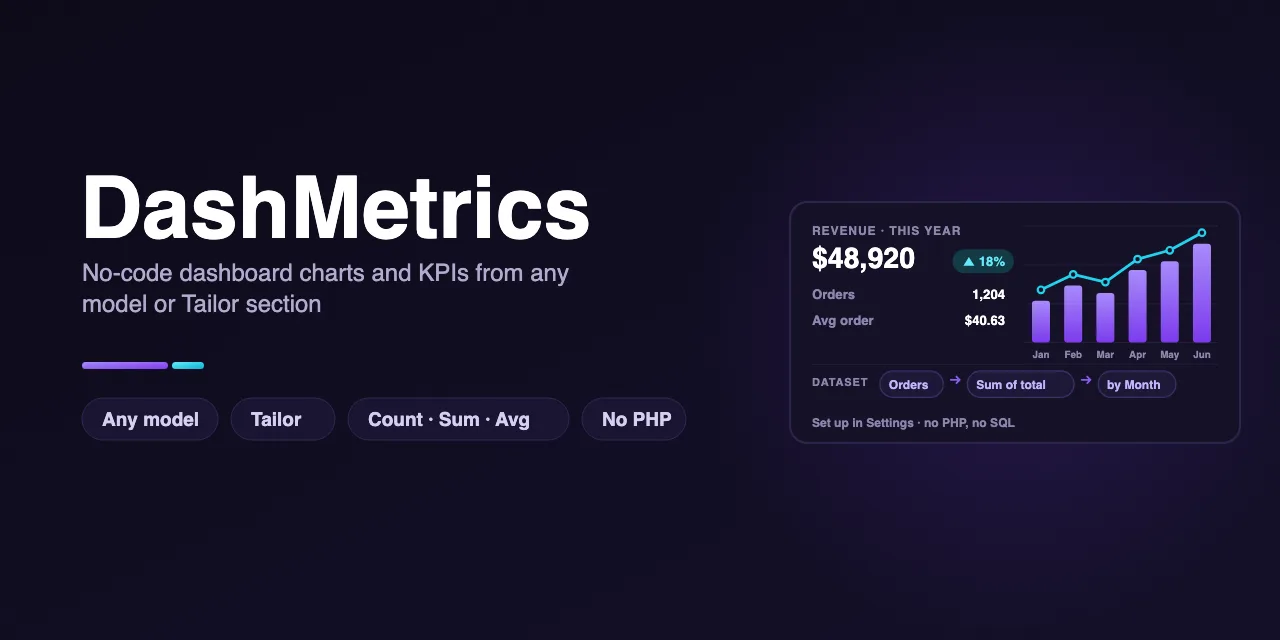
No-code dashboard charts and KPIs from any model or Tailor section, on October CMS 4.x.
Overview
What DashMetrics does
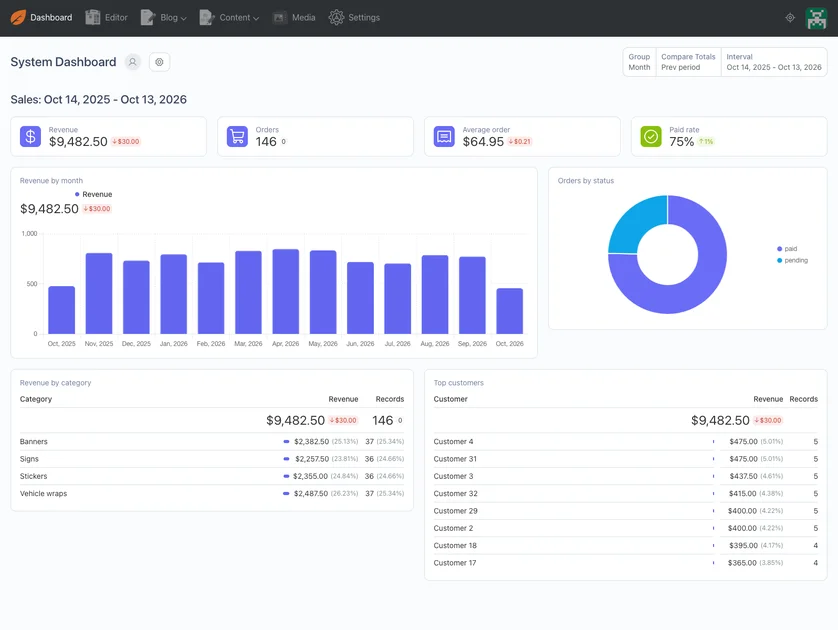
October CMS 4 has a great Dashboard, but charting your own data means writing a PHP data source. DashMetrics lets you point the Dashboard's own indicator, chart and table widgets at any model or Tailor section from a settings screen: pick what to count or add up, how to group it, and which records to include. No PHP, no SQL.
- Datasets: any plugin model or Tailor entry, stream or structure section becomes a Dashboard data source
- Count, count distinct, sum, average, minimum and maximum, as numbers, currency or percentages
- Group by day, week, month, quarter or year with the Dashboard's own date range and comparison
- Group by any column or related record, and keep only the records that match your conditions
- Preview the numbers on the dataset form before adding widgets
- Works on MySQL, MariaDB, PostgreSQL and SQLite, with permissions and sensitive columns kept out
Requirements
- October CMS 4.4+
- PHP 8.2+
Datasets
In Settings → Dashboard Metrics, create a dataset: give it a name and pick a model of any installed plugin, or a Tailor entry, stream or structure section. Choose the date column the Dashboard's date range should use. The dataset now appears in the Data source list of every Dashboard chart, table and indicator widget.
Metrics
- Count of records, count of distinct values, sum, average, minimum and maximum
- Show them as numbers, as currency (any three-letter code) or as percentages
- The average of a yes/no column is a rate, for example a paid rate or a conversion rate
Groupings and conditions
Every dataset can be grouped by date, following the Dashboard's day, week, month, quarter or year setting and its period comparison. Add groupings by any column (such as status) or by a related record (such as category, shown by its name). Conditions such as "status equals paid" keep only the records you want.
Every database
Weekly, monthly, quarterly and yearly grouping work on MySQL, MariaDB, PostgreSQL and SQLite. October's own report query builder only handles those on MySQL, so a hand-written data source can break on other databases.
Setup
- 1 Install DashMetrics from the October CMS Marketplace once it is released.
- 2 Go to Settings → Dashboard Metrics and create a dataset.
- 3 Add metrics and groupings, and check them on the Preview tab.
- 4 Open the Dashboard, add a Chart, Table or Indicator widget and pick your dataset as its data source.
php artisan plugin:install AmjadIqbal.DashMetricsSupport
Questions before you buy, or help after: get in touch and you will get a first reply within 2 business days.
More October CMS plugins
All plugins
BlockCraft
The modern TipTap block editor & document builder for October CMS.
VueForge
The rapid Vue 3 component & widget engine for October CMS backend interfaces.
ChangeTrail
Change history, diffs and one-click restore for any backend record in October CMS 4.x.
BlogPlus
Tags, search, popular and related posts for RainLab Blog on October CMS 4.x.
Custom October CMS development
Need DashMetrics customised, or a plugin of your own?
Custom plugins, backend form widgets and Tailor setups, built and tested on a real October install. Tell me what you need and get a plan and a quote, free.